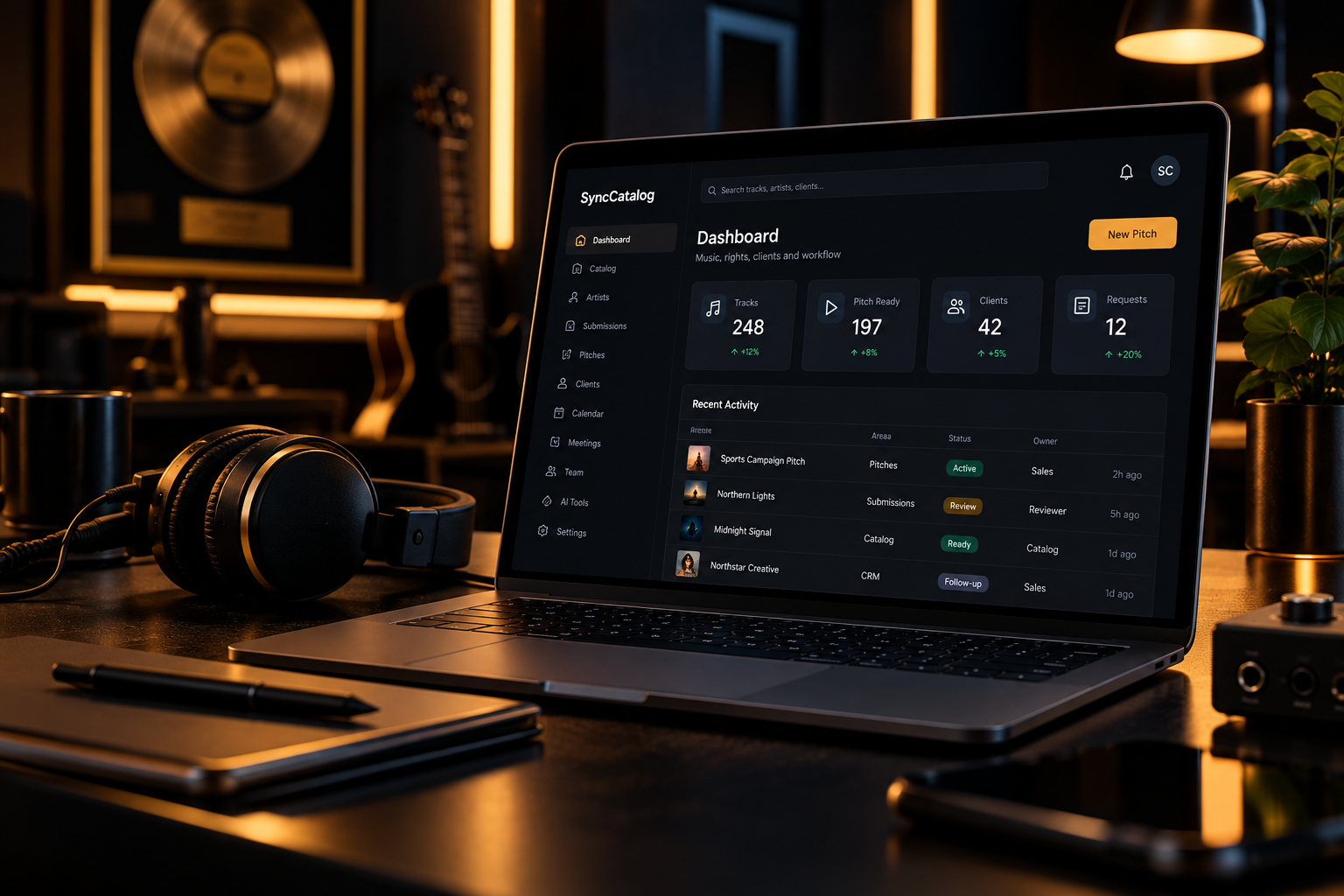
Analyze and prepare WAV files locally with SyncCatalog Desktop while you handle other work. Upload prepared tracks directly to your own organization, then manage catalog reviews, rights, pitches and licensing from the connected platform.
When growth creates complexity
When catalog data, rights information, files and client activity live in separate places, your team has to keep connecting them by hand. If that sounds familiar, start with the workflow below.
Is this the work your business needs to connect? SyncCatalog is designed for operations managing catalog information, rights, pitches and client follow-up together. If you only need file storage or occasional sharing, a full operating platform may be more than you need.
A quick overview of how SyncCatalog helps music licensing teams organize catalogs, licensing workflows, migration, client access and day-to-day operations.
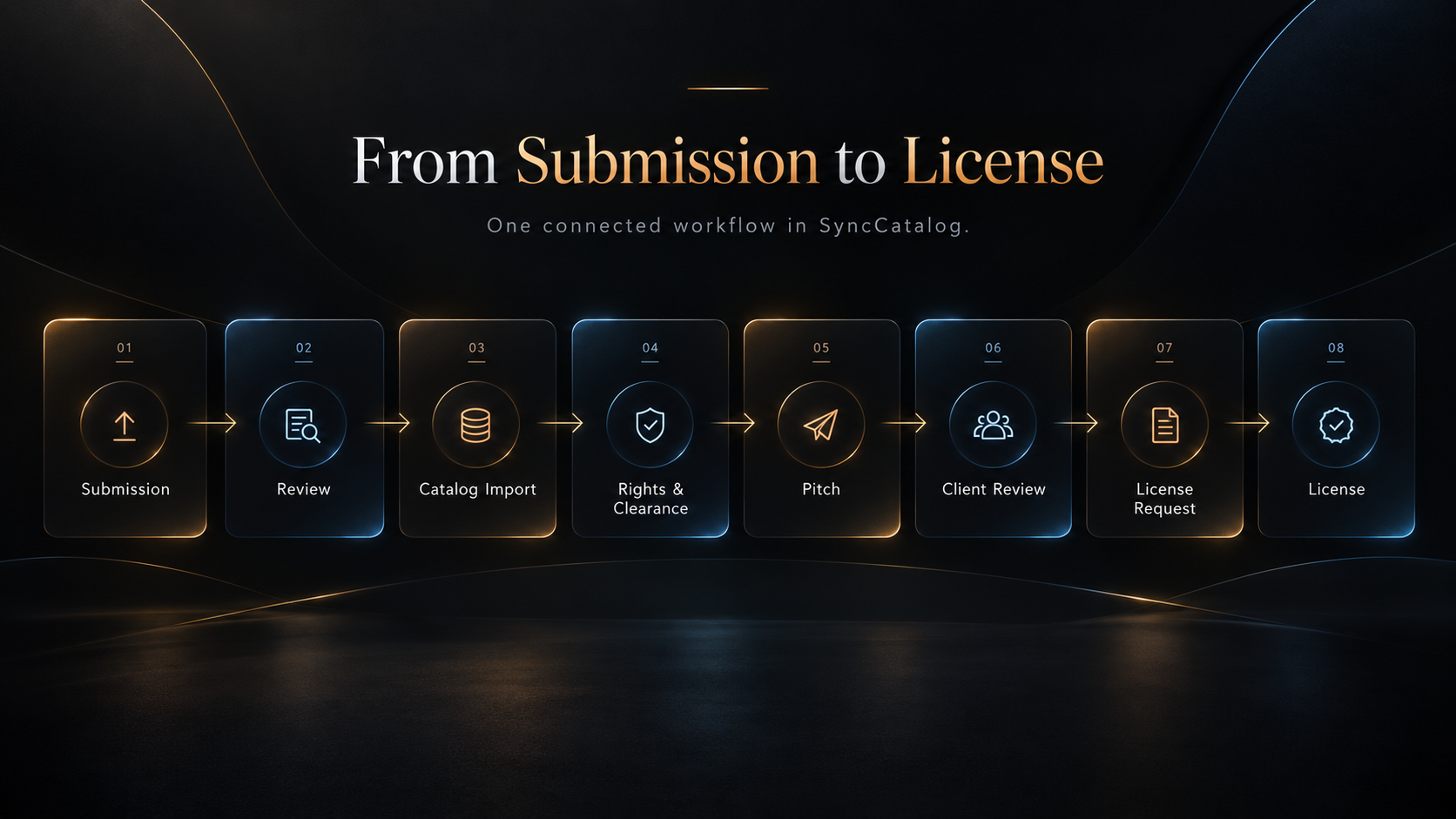
A client needs music. Your team selects tracks, reviews rights and readiness, builds a pitch, and follows the resulting licensing request. Submissions can feed the catalog when your operation accepts outside music.
Publish a professional music licensing website directly from your SyncCatalog catalog. Choose from six ready-made themes with artist pages, track pages, search, audio previews and licensing-ready presentation.
Explore Island Lake Music’s live website, powered by SyncCatalog, with homepage previews and artist listings generated automatically from its catalog, plus audio previews and licensing requests.
Visitors can collect tracks in My Shortlist, preview their selection, copy or email a seven-day sharing link, and submit one licensing inquiry for multiple tracks. No visitor account required.
View Live Website → Try the Catalog & Shortlist →Tracks, artists, waveforms, metadata, versions, writers, publishers, splits, clearance and deliverable readiness.
Clients, contacts, leads, projects, tasks, calendar activity and commercial follow-up.
AI metadata, batch analysis, review queues, taxonomy management and assisted catalog workflow.
Artist accounts, public submissions, review, accept/reject and direct catalog import.
Pitch workspaces, client previews, readiness data, license requests and opportunity workflow.
Roles, invitations, comments, mentions, notifications and organization activity.
Built-in video conferencing for clients, artists, supervisors and internal teams.
Client search, artists, track pages, audio previews, supervisor shortlists, email sharing and multi-track licensing inquiries.
Events, reminders, notifications, operational support and administrative support tools.
Multi-tenant organizations, permissions, secure auth, backups, recovery and integrations.
Use SyncCatalog as the public face of your catalog, the private backend of your licensing business, or both.
Put your catalog in front of licensing clients with a professional public-facing experience — or turn the public catalog off completely.
Keep SyncCatalog entirely behind the scenes and use it to manage tracks, rights, pitches, clients, licensing activity and your team.
Accept outside music submissions when you want them. Working with a closed roster instead? Turn submissions off.
Choose your role and priorities. See the relevant workflow, security, implementation and pricing information, with one recommended next step.
Find your path →Analyze BPM, key and loudness on your Windows computer, audition original WAV files, and prepare metadata for multiple tracks while you continue other work. Upload directly into your authorized SyncCatalog organization.
Desktop is included with Business, Professional and Enterprise plans. Uploaded tracks enter Drafts for catalog review; the cloud handles shared catalog, AI-assisted metadata and licensing operations. Local audio processing and server-side uploads are distinct steps.
Explore SyncCatalog Desktop →Review how organization access, hosting, backups and operational monitoring support the customer-facing workflow.
Review implementation responsibilities, security and purchasing details before deciding. Share these pages with the people who will use, manage or approve the platform.
Explore the demo and plans at your own pace. When you are ready, tell us about your current tools, catalog and workflow. We will discuss fit, implementation needs and whether a qualified seven-day evaluation is the appropriate next step.